
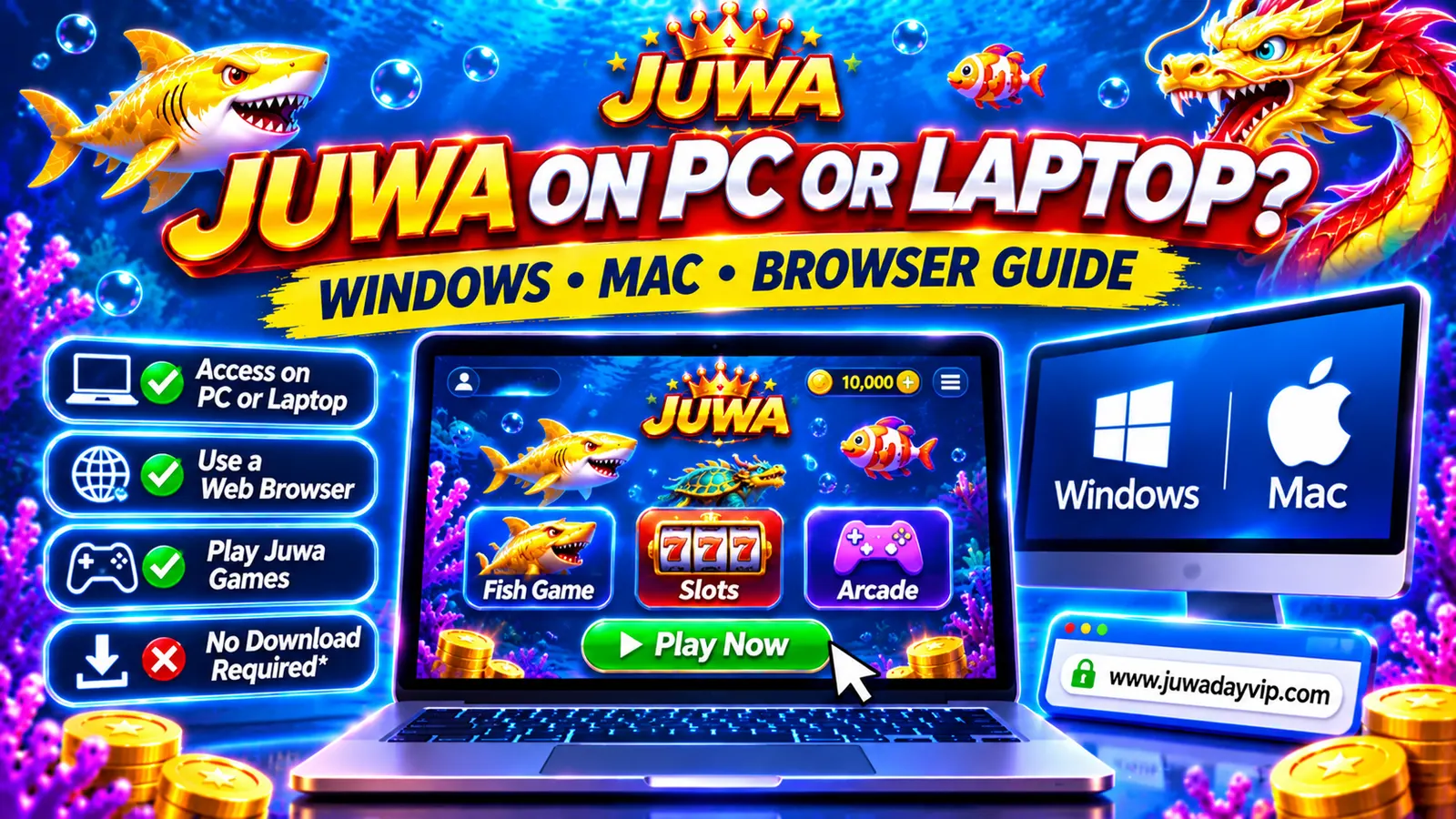
Want to access Juwa on your PC or laptop instead of your phone? Whether you use Windows 11, Windows 10, a MacBook, or a desktop computer, understanding how to open the gaming lobby through a browser can make navigating Juwa easier.
Juwa is a gaming platform associated with fish-shooting arcade games and slot-style entertainment. Many players first encounter these games on mobile devices, but some prefer a larger screen, mouse controls, or the convenience of a computer.
Juwadayvip.com provides a browser-accessible shared lobby that lists Juwa alongside Fire Kirin, Orion Stars, Panda Master, Milky Way, and Game Vault.
In this guide, we'll explain how to access Juwa on a PC or laptop, how to check browser compatibility, whether a download is necessary, and how to troubleshoot common desktop problems.
Quick Answer: Can You Access Juwa on a PC?
Yes. You can access the Juwadayvip.com gaming lobby through a web browser on a desktop computer or laptop.
However, accessing the lobby does not necessarily mean every individual Juwa game will run directly in a desktop browser.
Individual games may have their own device requirements, controls, or application compatibility restrictions.
To get started:
Open a modern web browser on your computer.
Visit https://www.juwadayvip.com/.
Select the website's Login option.
Sign in through the verified account service.
Open the Juwa platform from the shared lobby.
Check whether your selected game supports your device.
Follow the game's official instructions.
You do not need to install a separate application simply to open the Juwadayvip.com website.
1. What Is Juwa on PC?
Juwa is associated with a collection of digital games, particularly fish shooting and slot-style games.
On Juwadayvip.com, Juwa is described as a mixed gaming lobby containing fish tables and spinning-reel games.
PC access refers to opening the relevant website or supported game interface from a desktop or laptop computer.
Depending on the game, access may be browser-based or may require a separate supported application.
Why Do Some Players Prefer Computers?
A desktop or laptop can provide:
A larger display for viewing game interfaces
Mouse and keyboard input
Easier browser navigation
More visible screen space
Convenient access to account information
Fewer limitations caused by small mobile screens
However, a larger display does not improve the mathematical odds or expected rewards of a game.
The quality of the experience depends on the game's desktop compatibility.
2. How to Open the Juwa Lobby on Windows 11 or Windows 10
Windows users can begin by opening the Juwadayvip.com website.
Step 1: Open Your Browser
Use a current version of a reputable browser, such as:
Google Chrome
Microsoft Edge
Mozilla Firefox
Step 2: Visit the Website
Enter the official website address:
Avoid clicking unfamiliar sponsored links, unofficial download pages, or unsolicited gaming messages.
Step 3: Select Login
Click the website's Login option.
The website currently links its account sign-in flow to a separate domain, juwaday.com. Always verify the current destination directly from the official website.
Step 4: Open the Shared Lobby
Once signed in, follow the available navigation to the supported gaming platforms.
Juwadayvip.com lists Juwa and five other gaming platforms.
Step 5: Select Juwa
Open the Juwa platform and review the available games.
Step 6: Check Desktop Compatibility
If an individual game opens in your browser, review its controls and instructions.
If it requires another device or application, follow only the verified provider's requirements.
Important: Do not download unofficial desktop installers or modified Juwa applications from unknown websites.
3. How to Access Juwa on a MacBook or Mac Desktop
Mac users can follow a similar process.
The shared Juwadayvip.com website is accessible through compatible browsers.
Step-by-Step Instructions
Open Safari, Chrome, or Firefox.
Visit Juwadayvip.com.
Select the official Login option.
Sign in using your account credentials.
Navigate to the Juwa game page.
Check whether the selected game supports macOS or browser-based access.
Does Juwa Have a Native Mac Application?
Availability of a native macOS application has not been verified.
Do not assume that a downloadable application exists merely because a website can be accessed from a Mac.
A supported browser may be sufficient for some activities, but individual games can have different requirements.
4. Do You Need to Download Juwa for PC?
No separate installation is required to visit the Juwadayvip.com website and open its shared browser-based lobby.
However, whether you can play a particular game without downloading software depends on that game's technical requirements.
Browser Access vs Downloadable Software
FeatureBrowser AccessInstalled ApplicationInstallation requiredUsually noYesStorage requiredRelatively littleDepends on appUpdatesMainly through browserThrough app updatesWindows compatibilityDepends on website and gameDepends on applicationMac compatibilityDepends on website and gameRequires macOS supportSecurityVerify domainVerify publisher and download source
Never install unofficial executables simply because a website advertises a Juwa PC download.
5. Can You Play Juwa Fish Games With a Mouse?
Some browser-based arcade games support mouse input, while others are optimized for touchscreens.
A mouse may be used to navigate menus or interact with supported controls.
However, there is no universal mouse-control scheme for every Juwa fish game.
What to Check
Does the game recognize mouse clicks?
Can the pointer interact with the cannon?
Does the screen provide on-screen controls?
Is a touchscreen required?
Are keyboard shortcuts documented?
Check the instructions for your individual game rather than assuming that mouse clicks reproduce touchscreen actions.
6. Juwa on PC vs Juwa on Mobile
Choosing between a computer and phone depends on your preference and the actual compatibility of your chosen game.
FeaturePC or LaptopSmartphoneScreen sizeGenerally largerSmallerMain controlsMouse, keyboard, sometimes touchTouchscreenPortabilityLowerHigherBrowser navigationDesktop interfaceMobile interfaceGame compatibilityMust be verifiedMust be verifiedInternet connectionWi-Fi or wiredWi-Fi or mobile dataGaming outcomesDefined by game mechanicsDefined by game mechanics
Which Device Is Better?
A computer may be more comfortable for people who prefer larger screens.
A smartphone may be more convenient for users who want portability.
Neither platform inherently guarantees improved gaming outcomes.
7. What Are the Best Browser Settings for Juwa on PC?
If your selected game supports browser-based access, basic browser maintenance may help improve compatibility.
Keep Your Browser Updated
Install current browser updates from official sources.
Enable Required Website Features
Some interactive websites require JavaScript and other common browser capabilities.
Avoid disabling essential browser features without understanding their purpose.
Check Browser Zoom
If part of the interface is cut off, try returning browser zoom to 100%.
On Windows, the common shortcut is:
Ctrl + 0
On macOS browsers, the equivalent is often:
Command + 0
Check Display Scaling
Large display scaling may affect how certain web interfaces appear.
Review your operating system's display settings if buttons or navigation elements are hidden.
Use a Stable Internet Connection
A reliable internet connection can reduce interruptions during online activity.
These settings cannot resolve a game that is incompatible with desktop browsers.
8. Juwa Not Opening on PC? Common Fixes
Sometimes the login website or gaming interface may fail to load.
Here are several troubleshooting steps.
Fix 1: Check Your Internet Connection
Open another website to verify that your connection works.
Fix 2: Refresh the Page
Reload the affected page once and check whether the issue persists.
Fix 3: Update Your Browser
Use the latest supported browser version.
Fix 4: Try Another Browser
If the problem occurs in one browser, test another supported browser.
Fix 5: Clear Temporary Website Data
Cached files or cookies may contribute to some loading problems.
Remember that removing cookies can sign you out.
Fix 6: Disable Conflicting Extensions
Some browser extensions can interfere with website scripts.
Test carefully without permanently disabling essential security protections.
Fix 7: Check Your Device's Date and Time
Incorrect system settings can interfere with secure website connections.
Fix 8: Contact Official Support
If the issue involves an account restriction or unsupported game, contact the support channel linked from the official website.
9. Can You Use an Android Emulator to Run Juwa on PC?
An Android emulator is software that creates a virtual Android environment on a computer.
Some users explore emulators to access Android applications on desktop devices.
However, emulator compatibility with individual Juwa titles has not been verified.
There are several potential limitations:
An application may refuse to run on an emulator.
Touch-based controls may not translate correctly.
Performance may vary.
Some services prohibit emulated access.
Unofficial APK files may carry security risks.
Do not use emulators to bypass a platform's technical restrictions, account rules, or geographic eligibility conditions.
For most users, checking officially supported browser access is the safer first step.
10. Can You Access Other Fish Games on a PC?
Juwadayvip.com lists six gaming platforms in its shared lobby.
Gaming platformListed on Juwadayvip.comIndividual PC compatibilityJuwaYesVerify by gameFire KirinYesVerify by gameOrion StarsYesVerify by gamePanda MasterYesVerify by gameMilky WayYesVerify by gameGame VaultYesVerify by game
All six can be explored through the website's public game pages.
However, their actual games may have different operating-system or browser requirements.
11. How to Keep Your Juwa Account Safe on a Computer
Account security is important when using any gaming or payment-related website.
Follow these practices:
Use the Correct Website
Open the verified domain directly instead of following unfamiliar links.
Protect Your Password
Use a unique password and avoid sharing it with others.
Avoid Unofficial Downloads
Do not install unknown APK files, browser extensions, or Windows executables advertised as special Juwa tools.
Be Careful on Shared Computers
Avoid saving account credentials on public or shared devices.
Review Account Activity
Check your account information and relevant transaction records when necessary.
Use Official Support
For account issues, use the support link published on Juwadayvip.com.
12. Responsible Gaming on Desktop Devices
Using a computer does not change the financial risks associated with casino-style entertainment.
Fish games, slots, and promotional gaming systems may involve uncertain outcomes, purchases, and eligibility restrictions.
Before participating:
Confirm the activity is permitted in your jurisdiction.
Verify age and promotional eligibility.
Understand how credits work.
Read the game's rules.
Set limits on time and spending.
Avoid attempting to recover losses through additional payments.
Never assume that a larger screen, faster computer, or emulator improves the odds of winning.
Frequently Asked Questions
Can I access Juwa on Windows 11?
You can access Juwadayvip.com's shared browser-based lobby from a Windows computer. Individual game compatibility depends on the particular title.
Does Juwa work on Windows 10?
The website can be opened using a compatible browser, but specific games may have additional requirements.
Can I access Juwa on a MacBook?
You can open Juwadayvip.com from a compatible Mac browser. Individual Juwa game compatibility is not guaranteed.
Is there a Juwa PC download?
A verified official Windows desktop application has not been established here. Avoid downloading unofficial software from unfamiliar websites.
Can I play Juwa without downloading an app?
The Juwadayvip.com lobby is browser-accessible. Whether individual games work without additional software depends on their requirements.
Can I use a mouse for Juwa fish games?
Some games may support mouse interactions, but controls vary between titles.
Do I need an Android emulator for Juwa?
Not to access the Juwadayvip.com website. Emulator use may be unnecessary or unsupported for individual games.
Why isn't Juwa opening in Chrome?
Possible causes include connection problems, incompatible game features, browser settings, outdated software, or service interruptions.
Is Juwa faster on a PC?
Not necessarily. Performance depends on the device, browser, internet connection, and game implementation.
Can I access Fire Kirin and Orion Stars from the same website?
Yes. Juwadayvip.com lists both platforms in its shared lobby, although individual game requirements may differ.
Final Thoughts
If you're looking for Juwa on PC or laptop, start with the verified Juwadayvip.com website.
Its shared lobby supports browser access on desktop and mobile devices, making it possible to explore the available gaming platforms without installing software simply to visit the website.
Before opening a particular Juwa fish game or slot-style title, check the game's actual desktop compatibility and control requirements.
Avoid unofficial downloads, protect your login information, and follow the applicable rules.
For more information, visit the Juwa game page, explore the gaming guides, or review the Rules & Terms.
Responsible gaming reminder: Gaming is entertainment, not a guaranteed income source. Participation is subject to applicable laws, age requirements, and platform restrictions.